 Free Online Image Optimizer
Putting a watermark on a photograph
A watermark says who made a picture without getting in the way of it. That is a real balance rather than a slider position: a mark nobody notices is not doing its job, and a mark nobody can see past has ruined the photograph. This walks through placing one, and is honest about what it protects.
Words, or your own logo
Two kinds of mark. Type words — a name, a studio, a URL — and they are drawn onto the picture. Or give the address of a logo image and that is drawn on instead, which is the one to use if you have a mark of your own already.
A URL is often the better text than a name: somebody who sees the picture somewhere else can act on a URL, whereas a name only tells them a name.
The tool is at Add a watermark to an image.
Place it, size it, and set how strong it is
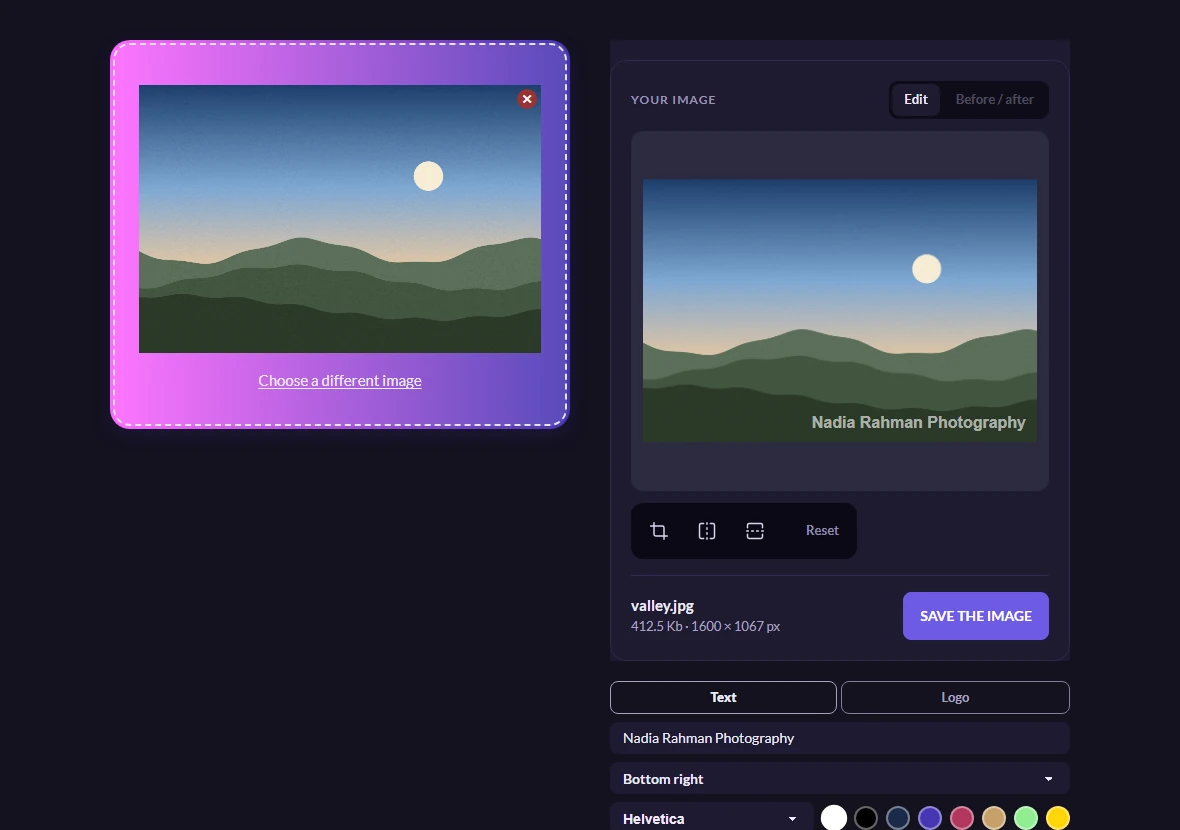
The mark appears on the stage as you type, in the position you have chosen, at the size and strength you have set — so this is done by looking rather than by guessing.
The bottom right is the default and the usual choice, because it stays out of most compositions and it is where people look last. Move it if that corner is where the interesting part of your photograph happens to be.
Sixty per cent opacity is the starting point: present, not shouting. Size is set as a fraction of the picture rather than in pixels, which matters — a mark specified in pixels is either invisible on a large photograph or enormous on a small one, and a mark specified as six per cent of the width is the same weight on both.
Take the marked file, and keep the original
One file, marked and compressed in the same pass. The mark is burned into the pixels — it is not a layer, and there is no version of the file underneath with the mark removed.
Which cuts both ways: keep your unmarked original somewhere. There is no undo for a watermark once this is the only copy you have.
Worth knowing
What a watermark actually achieves
It deters casual reuse and it credits you when a picture travels. It does not prevent anything. A corner mark can be cropped off in seconds, and a semi-transparent one can be painted out with the tools built into most photo editors.
So the sensible expectation is a signpost rather than a lock. If a picture genuinely must not be reused, the answer is not to publish it at full resolution — a watermark on a 4000-pixel file is an inconvenience, not a defence.
On a light photograph, white words disappear
The default mark is white, which is right for most photographs and wrong for a pale one — over a bright sky or a white studio background it fades to nothing. Switch it to a dark colour for those, or move it onto a darker part of the picture.
If the whole photograph is too bright for any mark to read, darkening it slightly first solves that and the same problem for any text you were going to add.
Is it uploaded before the mark is added
The preview is drawn in your browser and nothing is sent while you are adjusting it. The mark is applied on the way to the download, so the marked version is what leaves — at no point does an unmarked copy of your picture sit on a server waiting to be marked. The privacy notice sets out what does happen to it, in the terms that count.